Writing by shivdev on Wednesday, 23 of April , 2014 at 4:10 pm
In Java, use the Math.pow(a, b) to raise the value of ‘a’ to the power of ‘b’.
In Microsoft Excel and some other tools the Caret (^) symbol is used for this operation.
Note that in Java, the caret (^) symbol implies XOR of the two numbers.
Here’s the difference between the two.
2 raised to 4 = 2*2*2*2 = 16 (2 to the power of 4)
2 XOR 4 = 010 XOR 100 = 110 = 6 (Binary representation of 2 = 010 ; and 4 = 100)
Here’s a simple Java code snippet to try out.
public static void main(String[] args) {
	System.out.println("Math.pow(2, 4) = " + Math.pow(2, 4)); // returns 16
	System.out.println("2 ^ 4 = " + (2 ^ 4) ); // returns 6 (010 XOR 100 = 110)
}
And here’s a SQL flavor.
mysql> select power(2, 4);
+-------------+
| power(2, 4) |
+-------------+
|          16 |
+-------------+
1 row in set (0.00 sec)
And a Divide & Conquer algorithm in Java.
public double power(double a, long b) {
	// Base Cases
	if (a == 0) return 0;
	if (b == 0) return 1;

	// Divide & Conquer
	// 2*2*2*2 = (2*2) * (2*2) = ((2)*(2)) * ((2)*(2))
	double p = power(a, b/2);

	// Handle Negative Exponents
	double x = (b >= 0) ? a : 1/a;

	// Handle Odd & Even b's
	// 2*2*2*2*2 = 2 * (2*2) * (2*2) = a * p * p
	return (b%2 != 0) ? x*p*p : p*p;
}
Category: Excel,Java,SQL DB
Writing by shivdev on Thursday, 13 of March , 2014 at 5:54 am
The idea behind Google Authorship is to link a content author with his Google+ profile. In doing so, when Google displays Search results, your Google+ photo would appear beside the description.
I would recommend following the best set of instructions for this on BlindFiveYearOld to implement rel=author. Another article explaining this is from kissmetrics on how to get your picture in search results.
Here are some Help Topics from Google.
Category: Google,Tips and Tricks
Writing by shivdev on Monday, 10 of March , 2014 at 9:00 pm
If say, you want to capture the results of MySQL query into a file, you might want to run use the command line option (-e) to execute the SQL query.
You can follow the syntax:
mysql -uuser -ppassword database -e ‘query_to_execute‘
# Show on stdout
$ mysql -uuser -ppassword database -e ‘show tables’
# Redirect to a file
$ mysql -uuser -ppassword database -e ‘show tables’ > tables.txt
Category: SQL DB
Writing by shivdev on Sunday, 2 of March , 2014 at 4:31 pm
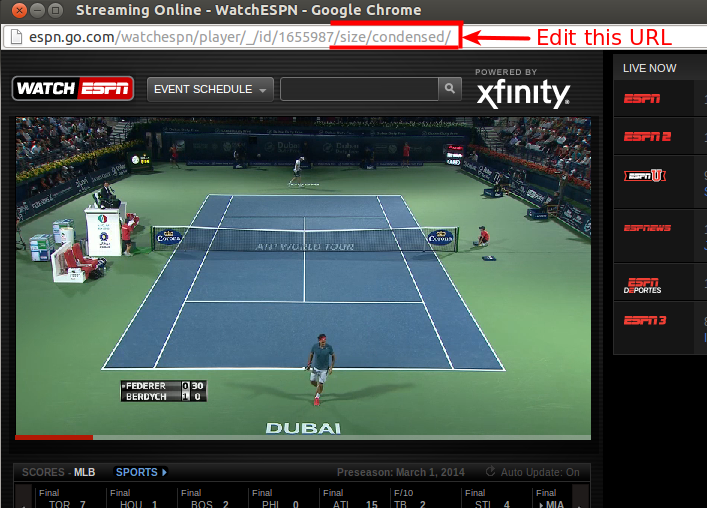
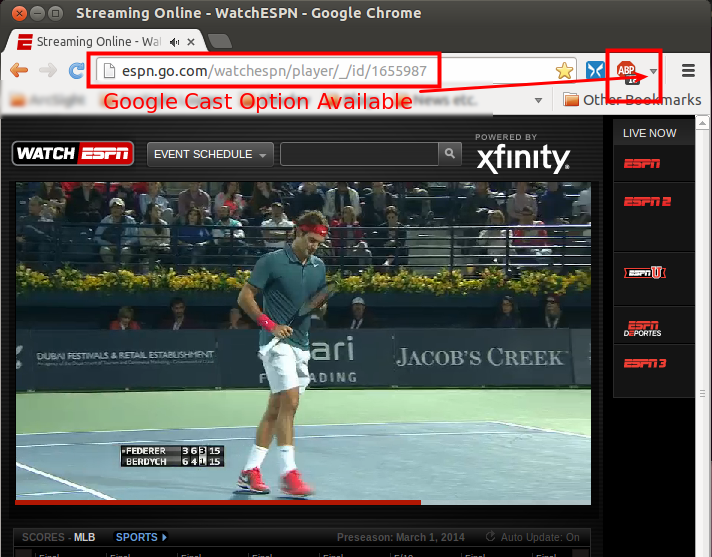
If your ESPN3 video opens up in a popup (or a condensed window as they call it) and you don’t see the “Google Cast” option, then this article from Encosia explains how.
Step 1:
In the Popup (where there’s no Google Cast Option) Copy the URL,
http://espn.go.com/watchespn/player/_/id/1655987/size/condensed/
Step 2:
In a Google Chrome Tab (where you do have Google Cast) paste just a part of the URL
http://espn.go.com/watchespn/player/_/id/1655987/
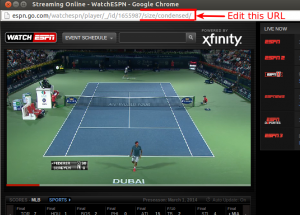
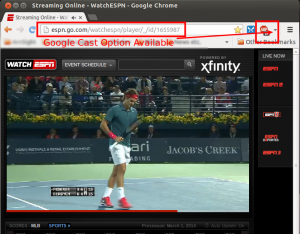
In the Tab you should see the option to “Google Cast”. These two screenshots should explain it.
Step 1
Step 2
Alternatively, there’s an option in Google Chrome that’s not available on Ubuntu (at this time) so didn’t work for me.
Right Click Window Title in the Popup (where you’re not able to Google Cast)
Select “Show As Tab”
Category: Google,Tips and Tricks
Writing by shivdev on Tuesday, 11 of February , 2014 at 7:20 am
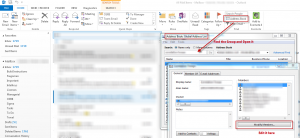
I’ve always had to try a lot of things and search a lot to get to adding/removing or modifying members in a group or alias or mailing list or distribution list or whatever the right term for it is, within Microsoft Outlook. But the easiest way to do so is from the Ribbon.
Home -> Address Book -> (Search or Select the Group) and Open -> Click Modify Members… -> Add/Remove Members
The screenshot below shows exactly where and how to get there.
Category: Tips and Tricks
Writing by shivdev on Monday, 18 of November , 2013 at 6:08 am
I’ve found that java.util.Scanner class instead of the java.io classes to work well for most of my text file reading and parsing needs.
String content = new Scanner(new File("/path/to/file.txt")).useDelimiter("\\Z").next();
System.out.println(content);
For more info read up natch3z or coderwall.
Category: Java